

Transitioning from traditional content creation to an AI-augmented workflow often feels less like a sudden leap and more like a series of deliberate, sometimes messy, steps. For most creators, the initial encounter with an AI Video Generator is marked by a mix of high expectations and the immediate realization that “one-click perfection” is a myth. The real value lies in understanding how to navigate the learning curve and integrate these tools into a repeatable, professional process.
Here is a structured look at how to realistically adopt AI video and image tools, moving from first-time uncertainty to a functional, high-output workflow.
The First-Time User Experience: Managing the “Uncanny Valley”
When I first opened an AI Image Creator, my initial prompts were sprawling, poetic, and—predictably—resulted in visual chaos. There is a specific kind of uncertainty that hits when you realize the AI interprets “cinematic lighting” differently than you do. In those early stages, the process feels like trial and error, a constant back-and-forth between your vision and the machine’s interpretation.
The key to moving past this phase is adjusting your expectations. Instead of viewing AI as a replacement for your creative director, think of it as a highly capable but literal-minded intern. You wouldn’t expect an intern to deliver a final Super Bowl ad from a one-sentence brief; similarly, the best results from an AI Video Generator come from iterative refinement. You start with a rough concept, observe how the model reacts to specific keywords, and gradually tighten the parameters.
Navigating the Multi-Model Landscape
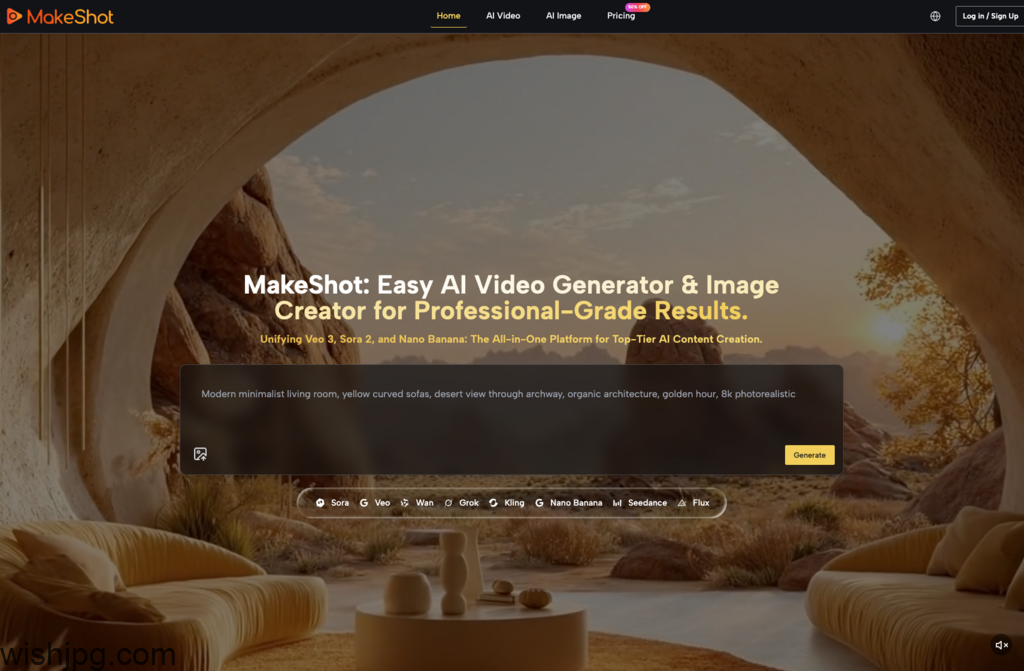
One of the biggest hurdles for beginners is the fragmentation of the AI market. You might find a tool that excels at landscapes but fails at human faces, or a video model that creates beautiful motion but lacks sound. Unified platforms like MakeShot address this by hosting multiple specialized models in one place, which significantly lowers the barrier to entry for those still finding their “visual voice.”
Choosing the Right Engine for the Job
Different projects require different “brains.” Understanding the strengths of each model prevents the frustration of using a tool for a task it wasn’t designed to handle.
- Veo 3: This is a game-changer for creators who need “ready-to-post” content. Its ability to generate native audio—including dialogue and ambient soundscapes—synchronized with the video saves hours in post-production.
- Sora 2: When the goal is cinematic storytelling or complex, high-fidelity motion, Sora 2 remains the gold standard. It handles spatial consistency in a way that feels more like a filmed scene than a generated one.
- Nano Banana Pro: For those focused on the AI Image Creator side of things, this model is the workhorse for hyper-realism. It’s particularly useful when you need to maintain character consistency across multiple frames.
| Model | Primary Strength | Ideal Use Case | Learning Curve |
| Veo 3 | Integrated Audio | Social Media, Quick Ads | Low – Moderate |
| Sora 2 | Cinematic Physics | B-Roll, Short Films | Moderate – High |
| Nano Banana | Hyper-Realism | Product Shots, Mockups | Low |
| Seedream | Generation Speed | Rapid Prototyping | Very Low |
Building a Sustainable Workflow
Integrating an AI Video Generator into your daily routine shouldn’t mean throwing away your existing skills. In fact, the most successful creators use AI to bridge the gaps in their traditional workflow.
In my own experience, I’ve found that using an AI Image Creator to build a “mood board” is the most effective starting point. Instead of jumping straight into video, I use Nano Banana Pro to lock in the visual style—colors, lighting, and character features. By using the “multiple reference images” feature, I can ensure that the aesthetic remains consistent before I ever hit “generate” on a video clip.
Once the visual language is established, you can move into motion. This modular approach—stills first, then motion, then sound—prevents the “black box” problem where you spend credits on a video that was doomed from the start because the visual style wasn’t quite right.
Common Misconceptions and Early Mistakes
The “AI revolution” is often sold as a way to eliminate work, but in the early stages, it actually shifts the type of work you do.
The “One-Prompt” Fallacy
Many beginners get discouraged when their first prompt doesn’t yield a masterpiece. Professional-grade results are almost always the result of “prompt chaining” or iterative adjustments. If the lighting is wrong, you don’t delete everything; you tweak the lighting parameters and keep the rest.
The Consistency Challenge
Maintaining a consistent look across a 30-second video is much harder than generating a single 3-second clip. This is where tools like Sora 2 shine, as they are built to understand 3D space and object permanence better than earlier iterations of AI technology. For a beginner, the lesson is simple: start with short, high-impact clips and stitch them together, rather than trying to generate a long-form narrative in one go.
Practical Efficiency and Cost Observations
From a business perspective, the shift toward AI is driven by the need for agility. Traditional production is heavy; it requires gear, people, and time. An AI Video Generator allows a marketing team to respond to a trend in hours rather than weeks.
However, the “cost” isn’t just the subscription fee—it’s the time spent learning the nuances of each model. By using a unified platform, you reduce the “context switching” tax. You aren’t managing five different logins or trying to remember which tool has your favorite character reference. You have one asset library and one billing cycle, which, for a small agency or a solo creator, is a massive relief for the mental overhead.
I’ve observed that teams using these tools effectively don’t necessarily fire their videographers; instead, they enable their videographers to produce ten times the amount of content. They use AI to handle the “expensive” shots—like an aerial view of a futuristic city or a slow-motion macro shot of a product—while focusing their human energy on storytelling and strategy.
The Path Forward: Gradual Improvement
Adopting AI is a marathon of small adjustments. Your first videos will likely look “AI-generated,” but as you learn to layer prompts, use reference images in your AI Image Creator, and choose the right models like Veo 3 for sound-heavy tasks, the “seams” begin to disappear.
The goal isn’t to create something that looks like it was made by a machine; the goal is to use the machine to create something that looks like it was made by a world-class production house, on a fraction of the budget. Start small, experiment with the different strengths of Sora 2 and Nano Banana Pro, and focus on how these tools can solve specific bottlenecks in your current creative process. The “magic” happens when the technology becomes invisible and the story takes center stage.
